
What albums do #
Albums are one of the main tools that make Tobacora useful as a cigar archive. If tags help connect photos through details, albums help place them into a clear visual structure. An album works like a folder for your media, gathering photos under one named collection on your profile. Albums have their own page and link, so they can be browsed, shared, and revisited as a complete set rather than just as individual images.
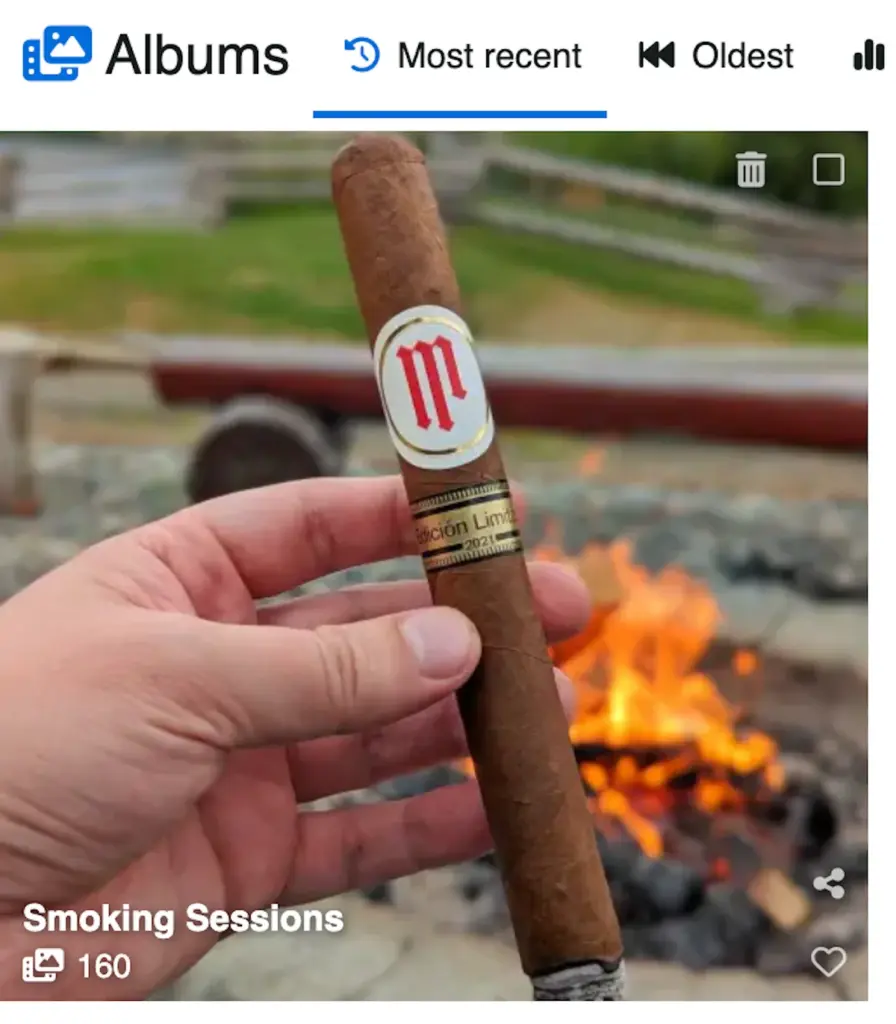
Albums and your main gallery #
Adding a public image to an album does not remove it from your general gallery. It remains part of your public content, and at the same time, it can also be viewed inside the album it belongs to. In simple terms, albums help organize your photos into collections, but they do not replace your main gallery feed. However, if that image is placed inside a private album or sub-album, it becomes private, follows the privacy rules of that album, and is not shown in the main gallery.
How can you use albums on Tobacora #
Albums are especially useful for cigar photography because they let you organize your collection in a way that reflects how you actually think about it. You can build albums around cigar brands, countries, factories, lounges, purchases, box splits, events, travels, aging projects, pairings, or anything else that makes sense to you. Tobacora also supports sub-albums, so you can build a deeper structure when needed. For example, you can create a main Cigars album, then add sub-albums for Cuban Cigars, New World Cigars, Limited Releases, or Cigars Smoked in 2026. A lounge or cigar club account could do the same with events, giving each gathering its own place inside a larger Events section.
What appears on an album page #
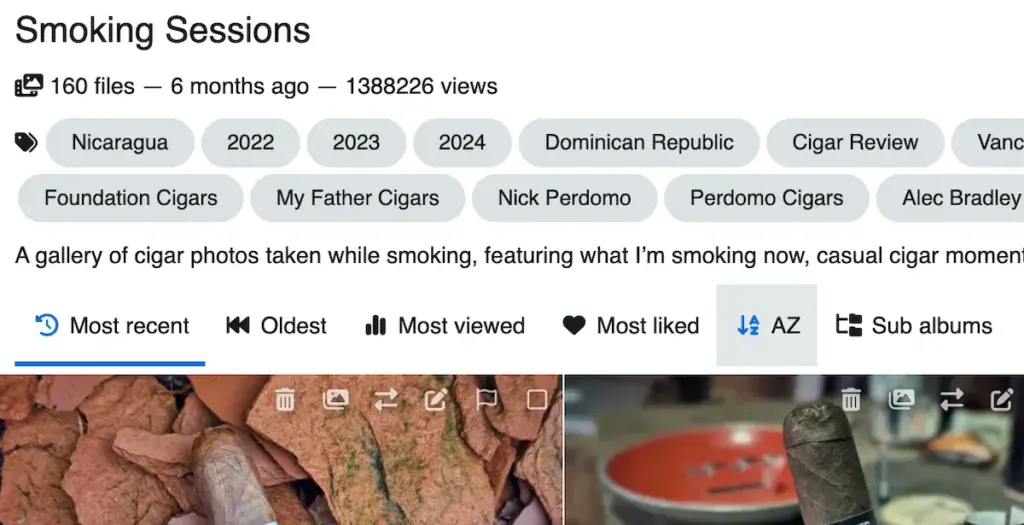
Each album page shows the album title, total file count, creation date, view count, and description, followed by the media inside it. The contents of an album can be sorted by most recent, oldest, most viewed, most liked, or alphabetical order. This makes albums useful not just for storing photos, but also for presenting them in a way that is easier to browse later.
Albums privacy and control #
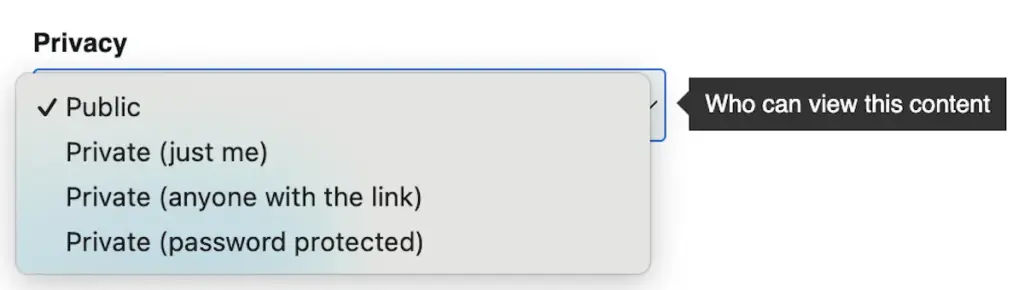
When creating an album, you can give it a name, add a description if needed, and choose its privacy settings. Albums can be public, visible only to you, visible only to people with the direct link, or protected with a password. This matters because album privacy controls the privacy of the media inside it. In other words, if you place media into a private album or sub-album, that media becomes private through the album.
Creating and organizing albums #
At the moment, the process starts in the Albums section of your profile, where you first create the album itself. Once that album exists, you can select it when uploading images and place your photos into the right collection from the start. Later, if you decide to reorganize your gallery, you can move media files and even sub-albums into another album. Any media item within an album can also serve as the album cover, making larger collections easier to recognize at a glance.
Browsing within an album #
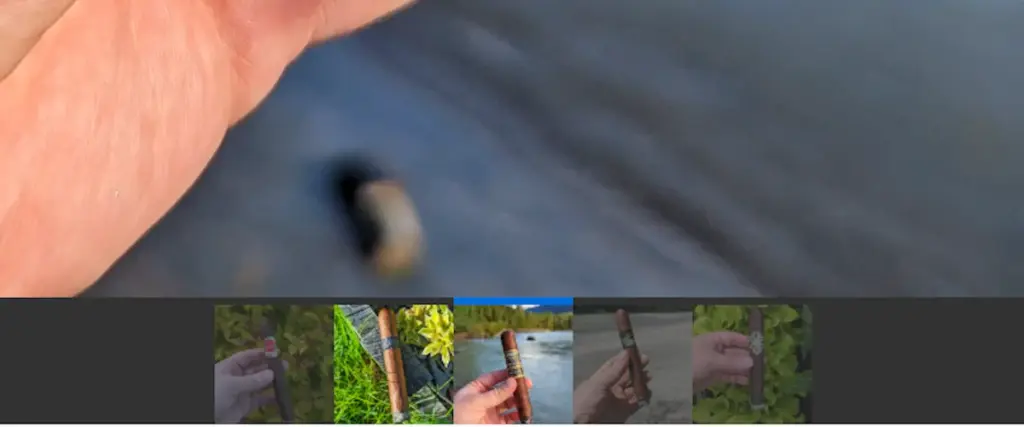
Albums also make individual photo pages feel more connected. When a photo belongs to an album, thumbnails of the other items from that album appear at the bottom of the page. You can click any of those thumbnails to move through the album without going back to the main album page. This makes it much easier to browse a cigar session, event, box, or photo set as a single continuous sequence.
Albums desktop shortcuts #
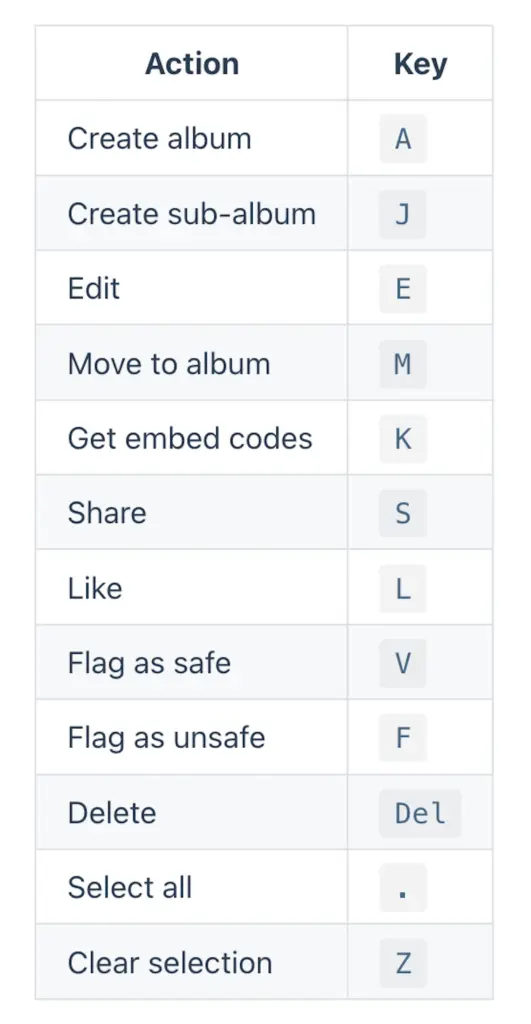
If you use Tobacora on a desktop browser, album actions are also tied to keyboard shortcuts, which can make organizing a large collection much faster. For example, you can press A to create an album, J to create a sub-album, E to edit, M to move content into an album, S to share, L to like, H to set a media item as the album cover, and Del to delete selected albums. This is especially handy when you are actively sorting or cleaning up a bigger cigar gallery on a computer.
Albums in a nutshell #
A good way to think about albums on Tobacora is that they give your collection its backbone. Tags help describe and connect things, but albums help you decide where a group of photos lives and how it should be experienced as a set. As your gallery grows, albums become one of the easiest ways to keep everything clear and enjoyable to browse.
See how albums shape a gallery #
Albums give a collection shape, but that idea lands best when you can see it in real galleries. Browse cigar photo galleries in Explore to see how people group purchases, lounge visits, trips, and brand runs are organized into albums that hold together as sets. Then open the upload page, add your own photos, and start building albums that give your cigar archive order from the first upload.


